
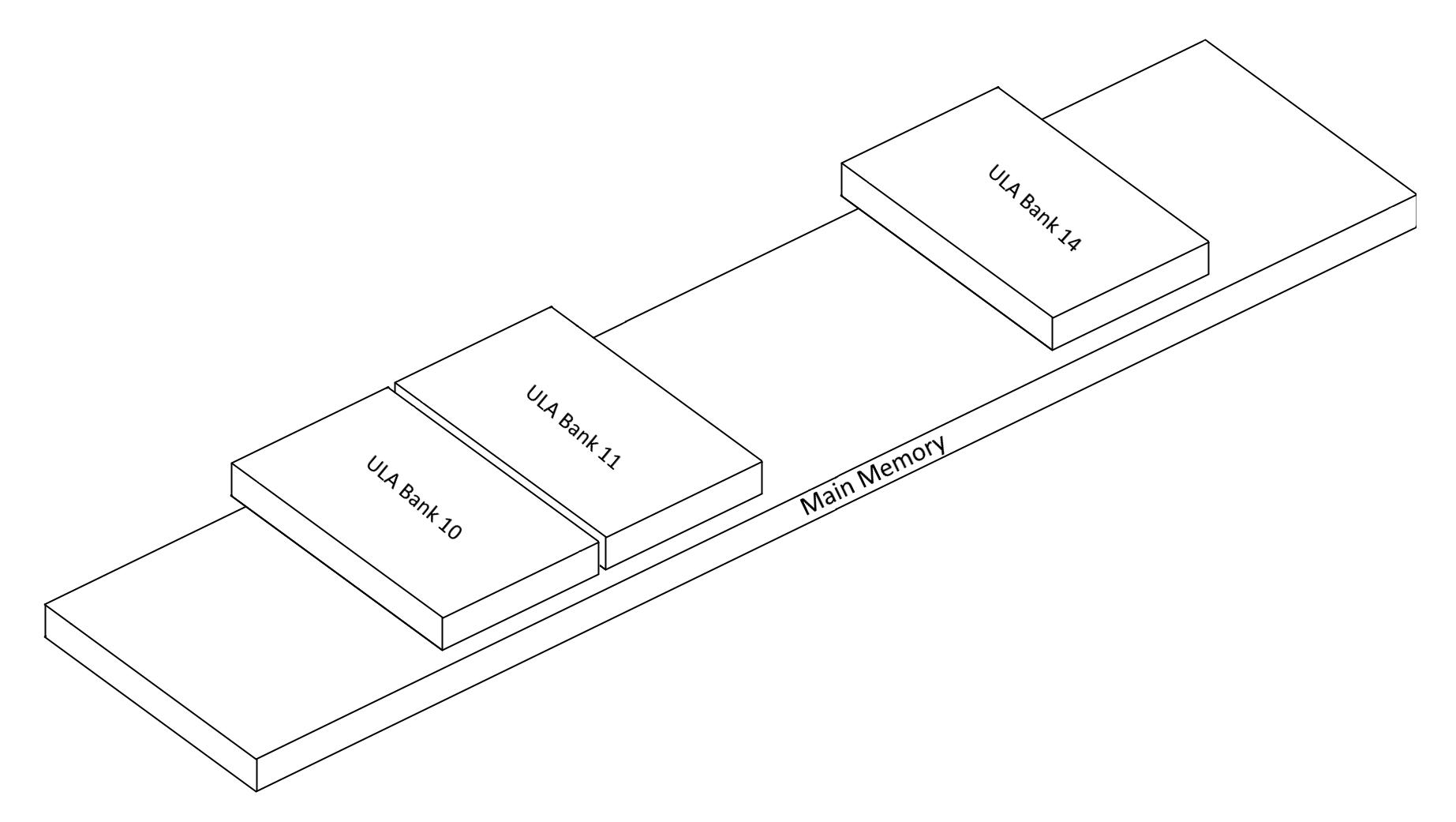
Here’s an oddity…. on the ZX Spectrum Next, ULA Memory is held inside the FPGA itself so that access to it is as fast as possible. Accessing physical RAM chips is pretty slow by comparison. Also with Layer 2 being there, it means multiple display processes would be trying to access the same memory at the same time. For example, if you have Layer 2 on, and the ULA screen on, the FPGA would need to read memory from Layer 2 and the ULA screen at once, which it can’t do – or at least not very easily.
What Victor did was to solve this, was set aside 24k in the super valuable FPGA RAM, or BRAM as it’s called (block random access memory). Having that valuable space in FPGA memory allows things like Tilemaps and the ULA screen to be working together giving us more layers, which is great.
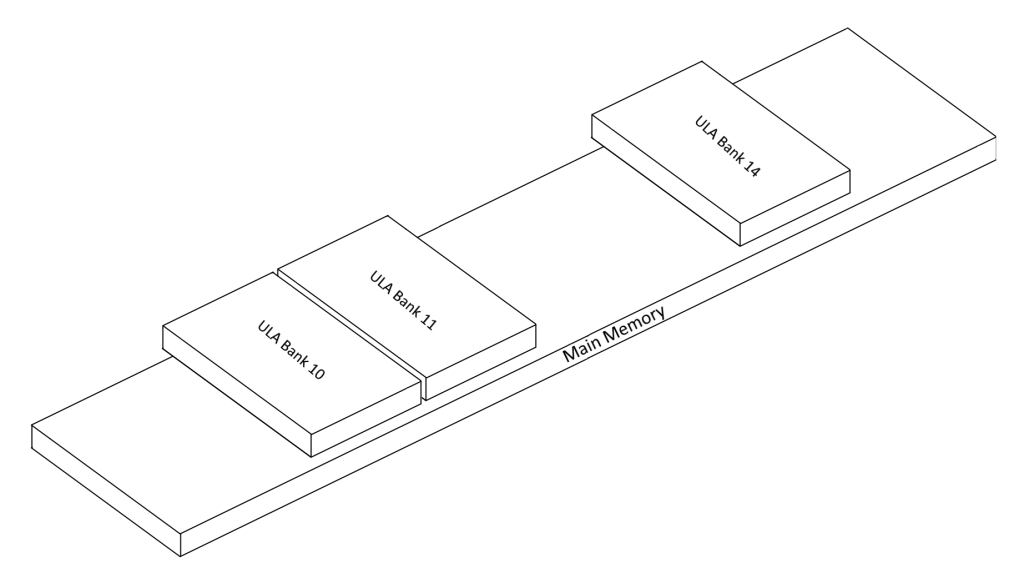
The BRAM memory sites in banks 10,11 and 14 (ULA Banks 5 and 7), and here in lies the oddity, there is Physical memory under that that’s totally unused. When the Z80 decodes through the banking system into its 64k address space, if any of those banks are 10,11 or 14, then read/writes go to BRAM memory, and not Physical memory. So is that 24k totally wasted then?
Well, no. It turns out Layer 2 can actually use this memory as it doesn’t see the BRAM memory at all. But how can you use it if the Z80 can’t see it using it’s normal mapping procedures? Well this memory can be accessed using the Layer 2 memory mapping system via port 0x123B.
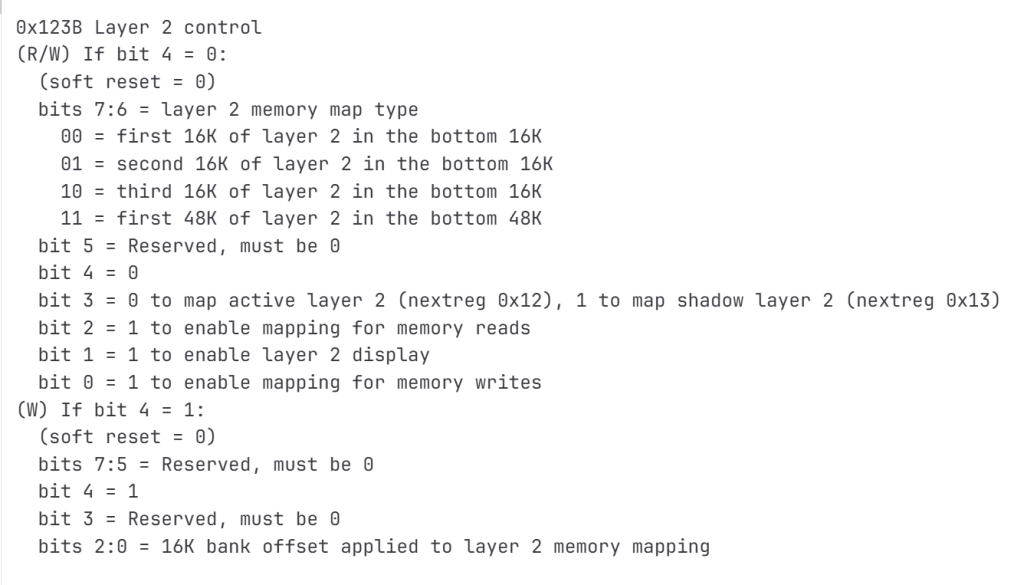
This lets you bank physical memory into the lower 16k or 48k range, for reads or writes – or both. Now this is both a pain and very cool at the same time. It means if your doing a Layer 2 game, you can stick it under the ULA screen and render to it using the L2 banking system above, then use the normal Z80 banking via the Next Registers (0x50 to 0x57) to page the ULA banks in somewhere, and use – say, Tilemaps on top of that, and perhaps the old ULA screen in it’s shadow mode in bank 14, utilising that extra 24k of space.
That saving is really cool especially with the extensive banking system Layer 2 has. 16k with 16k bank offsets, or a full 48k at once – or if doing 320×256 modes, then 48k in, with 16k offsets. It really is very powerful.
I’ve spent the past couple of days putting support for this into #CSpect, including into the debugger where you can now toggle the memory window between ULA mode, and physical memory mode.
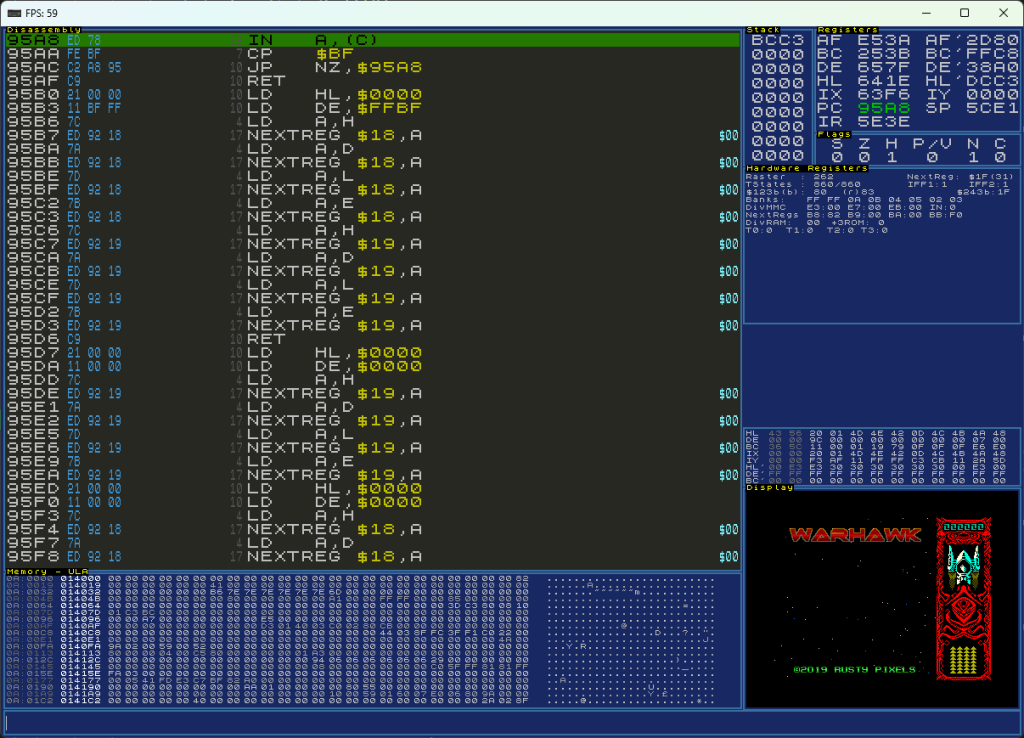
Shown here is the ULA window being displayed, then if I press CTRL+U I can toggle this mode and view the memory under this window.
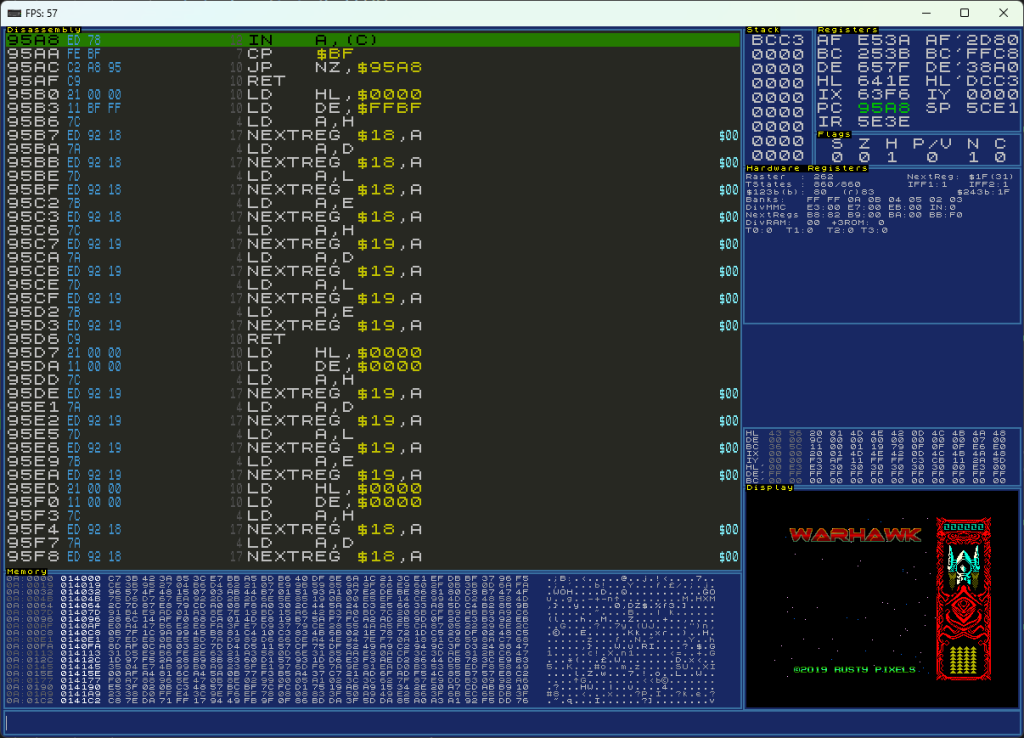
This is much like the C64 memory map, where there is RAM hiding under some of the system bits. It might be nice to be able to disable it so the z80 can easily write to it, but the L2 banking is fine, and pretty powerful as it is.
The new beta (V3.0.10.0b) will be the first to allow access to this. I’ve each screen mode but if there are issues then let me know via the discord and I’ll take a look. This wasn’t a quick change and did touch a lot of code, as most screen modes actually come from the new ULA overlay.
Have fun!